Post as a Facebook Page vs. Personal Profile in Groups: Which Gets More Reach?
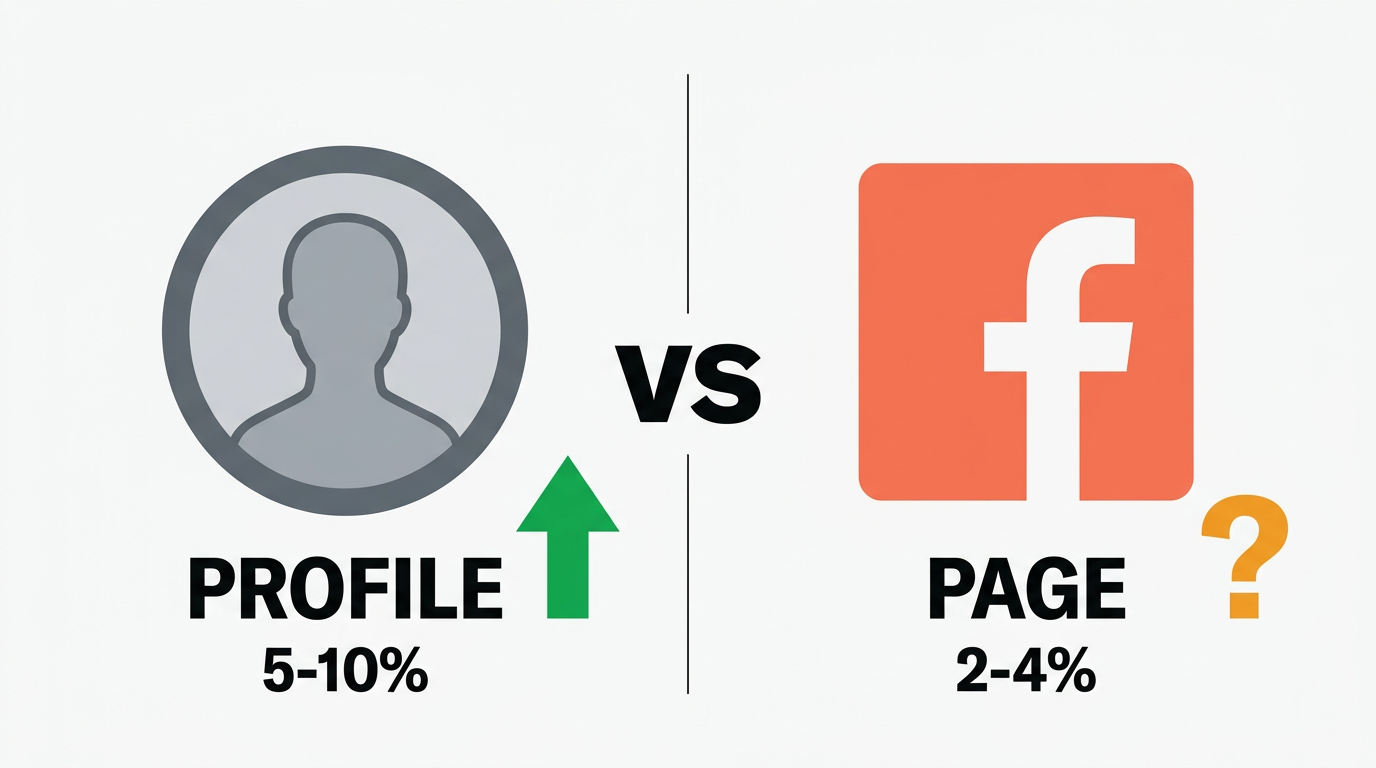
Personal profiles get more reach and engagement in Facebook groups than Pages do. This isn't opinion — it reflects how group members respond to who is posting, not just what is posted. Most groups also restrict or ban Page posting. For broad multi-group campaigns, personal profiles consistently outperform Pages. Pages are better suited for branded content in groups that explicitly allow them, or for building a Page-specific audience over time.
When you join a Facebook group with a business intent, the question of whether to post as yourself or as your business Page comes up immediately. The answer isn’t obvious from the interface — Facebook lets you switch between profiles and Pages when posting to groups — and the implications of getting it wrong are meaningful.
This guide covers the actual reach difference between personal profiles and Pages in groups, the practical restrictions you’ll encounter, and when it actually makes sense to use your Page.
How Facebook Groups Handle Page Posting
Facebook allows group members to post as a Page if: 1) they’re an admin or editor of that Page, and 2) the group’s settings allow Page posting. That second condition is the catch.
Most Facebook groups, especially active buy-sell, business, and community groups, have Page posting disabled. Group admins turn it off because Page posts read as ads to members and undermine the community feel that makes groups valuable. When you post as a Page in a group that allows it, your post is labeled with your Page name — it’s immediately identifiable as branded content.
Groups that do allow Page posting tend to be: industry-specific professional groups, groups explicitly created for businesses (directories, referral groups), and smaller niche groups where admins are less concerned about commercial activity.
Before posting as a Page to any group, check the group settings and rules. Look for language about Pages, businesses, or promotions. If the rules are silent on Pages, test with one post and monitor whether it gets removed. Group admins often remove Page posts without warning even when the rules don't explicitly address them.
The Reach Reality: Why Profiles Outperform Pages in Groups
When group members see a post from a personal profile, they see a person’s name, profile photo, and posts that appear to come from community membership. When they see a Page post, they see a brand — and their subconscious response is to evaluate it like an ad.
This distinction produces concrete differences in engagement behavior:
Comments: Personal profile posts get more comments because people find it easier to talk to a person than a brand. Replies to personal profiles feel like conversations. Replies to Pages feel like customer service interactions.
Reactions: Same principle. A reaction to a personal post feels like supporting someone. A reaction to a Page post feels like endorsing an ad.
Shares: Personal profile posts are shared far more often. Sharing a business Page post from a group is rare because it looks like free promotion. Sharing a genuinely useful post from a real person is natural.
Trust signals: Members instinctively look at the poster’s profile when they see an interesting post. A personal profile with group membership history and active engagement looks credible. A Page profile that joined the group last week looks suspicious.
- Higher organic reach and engagement in groups
- Accepted in virtually all groups (personal profiles aren't restricted the way Pages are)
- Comments feel like conversations, not brand interactions
- Members trust and engage with people more than brands
- Profile history builds credibility over time
- Shareable content without "free brand promotion" hesitation
- Personal accounts have more severe consequences if flagged (affects your real account)
- Harder to separate personal and business activity
- Less analytics and insights vs. Page posting
- Can't run retargeting ads based on group post engagement
- Clearly branded — no ambiguity about who you are
- Access to Page analytics and post insights
- Can integrate with Facebook Business Suite
- Better for long-term brand awareness in niche professional groups
- Separate account risk from personal identity
- Lower engagement rates in groups
- Restricted or banned in most active groups
- Looks like branded content, triggering ad-avoidance behavior
- Fewer groups eligible to post in
- Page posts can be harder to get approved by group admins
When to Use Your Page in Groups
Despite the disadvantages for broad reach, there are legitimate use cases for Page posting in groups:
Industry directory groups: Some business groups exist specifically for companies to list their services. In these contexts, everyone is posting as a Page, the expectation is commercial, and personal profiles would actually look out of place.
Referral and collaboration groups: Groups where professionals refer clients to each other often expect Page-level branding so members can quickly share referrals. Posting as a Page here makes the referral process cleaner.
Brand awareness in large professional groups: If you’re targeting a high-value professional community and the group allows Pages, a consistent Page presence over time builds recognition even if individual posts get lower engagement. This is a longer-term play.
Groups you administer: If you run your own Facebook group and post updates as your business Page, that’s the right context. You control the rules, so Page posting is on your terms.
Some businesses use a personal profile for broad multi-group campaigns and reserve their Page for groups where the brand identity adds credibility (like B2B professional groups). The personal profile handles volume and reach; the Page handles brand positioning in high-value niche communities. This isn't complicated to execute and gets the benefits of both approaches.
Technical Differences: How Posting Works
When posting to groups as a Page, Facebook requires you to switch your active identity in the platform. On desktop, there’s a menu to switch between your personal account and your Pages. On mobile, the process is slightly different but equivalent.
For automation tools that post to groups: most tools work with personal profiles because that’s how most group posting works at scale. Page posting automation is less common because Pages are restricted from so many groups, making large-scale Page campaigns impractical.
NinjaPoster supports both personal profile posting and Page posting through its post as a profile or Page feature. For users who legitimately need Page posting in specific group contexts, the option is there. For most multi-group campaigns, personal profile posting is the default and recommended approach.
Account Safety Considerations
One practical consideration that doesn’t get discussed enough: page posts and profile posts carry different risk profiles when things go wrong.
If a Page gets flagged for spam in a group, Facebook may restrict the Page from posting in groups. This affects the Page, not your personal account. Your personal account can continue operating normally.
If a personal profile gets flagged for spam in groups, the consequence can be more severe — a temporary posting restriction or even account suspension affects your personal account, which may be connected to other Pages, ad accounts, and business functions.
This is an argument for using Pages for high-volume posting even if engagement is lower: the account risk is compartmentalized. Your personal identity stays clean.
For most marketers, the right call is to use personal profiles carefully with proper delays and variation (reducing flag risk) rather than routing everything through Pages to minimize risk at the cost of reach. But if you’re running campaigns at very high volume, understanding this risk tradeoff matters.
The Facebook group posting rules guide covers the specific behaviors that trigger flags and how to avoid them regardless of which posting identity you use.
- Personal profiles consistently get more reach and engagement in Facebook groups than Pages. Members respond to people more readily than brands.
- Most active Facebook groups restrict or disable Page posting. Check group rules before assuming you can post as a Page.
- Pages are appropriate for: business directory groups, referral groups, groups you administer, and specific niche professional communities that allow brand presence.
- The engagement gap exists because personal profile posts feel like community participation; Page posts feel like advertisements. This affects comments, reactions, and shares.
- Page posting carries lower personal account risk. If a Page gets flagged, your personal account is unaffected. This matters at high posting volumes.
- The hybrid approach — profiles for broad campaigns, Pages for high-value niche groups — captures the benefits of both without committing fully to either.
- NinjaPoster supports both personal profile and Page posting, letting you choose per campaign based on your group list and goals.
Related Reading
Ready to automate your Facebook group marketing?
NinjaPoster posts to hundreds of groups automatically — safely and organically. Start your 7-day trial today.